A few months back, I was scrolling reels at like 1 AM, the way you do.
Saw a video of some developer talking about shipping his own app to the Mac App Store. Just him, alone, building something real that people could actually download and use.
Something about it stuck with me. I closed the app thinking, I want to do that too.
Then my Claude Code account got banned
Around the same time, I was using Claude Code a lot. Then one day, it just stopped working. Account flagged for some policy violation.
I still don't fully know what triggered it. But it got me thinking about something I hadn't thought about enough before.
These tools know a lot about me. My files, my questions, my half-finished projects, all of it sitting on someone else's server. And I don't get to decide what happens to that.
I still needed a tool like that though. Something that could read my files and actually help me with them. I just didn't want to hand everything over to get it.
So I decided to build my own
Not a startup. Not a product for other people, at least not at first. Just something for me.
The rule I gave myself was simple: it has to work fully on my machine. No file should have to leave my laptop unless I explicitly say so.
That's how Fathom started.
What it actually does
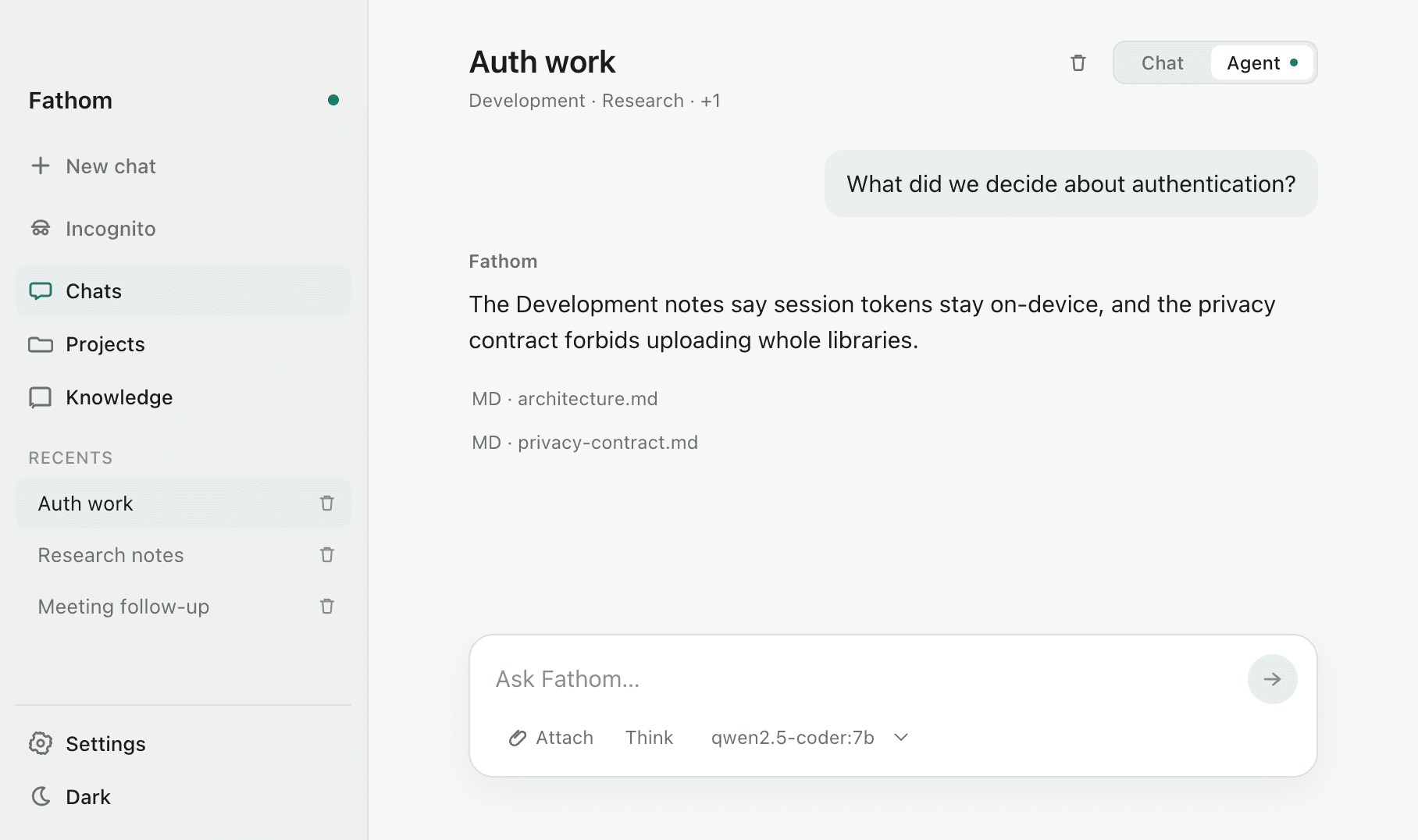
You open the app, you add a folder, like your Desktop or a project you're working on. Fathom reads through it and builds a small local index.
Then you just chat with it. Ask "what did I decide about the database schema last week" and it goes and finds the actual file, reads the actual line, and answers you with the source right there. Click it, and it opens straight in Finder.
There's also an agent mode. You can ask it to go search your files, read a few, and write you a summary document. It asks permission before it changes or creates anything though. Nothing happens behind your back.
How it works, explained simply
No fancy vector database. Just SQLite, the same lightweight database that's basically built into every phone and laptop already, with a search feature called FTS5 turned on.
Your files get broken into small chunks, maybe a paragraph at a time, and added to this local index. When you ask something, it searches those chunks for the closest match and hands the top few to the AI model to answer from.
For the AI model itself, you can run it fully local with Ollama, so the actual "thinking" also happens on your Mac. Or if you want smarter answers and don't mind it leaving your machine, you can plug in your own API key for Claude or OpenAI instead. Your choice, not mine.
The app shell is built with Tauri, which basically means I get a real native Mac app using Rust underneath, but I still get to build the interface in React, which is what I already know.
The bug that ate my evening
I got the app working fine in development. Then I tried to actually build the final .app file to test it like a real user would, and it just kept failing. No useful error, just a broken build.
Took me a stupid amount of time to figure out it was Homebrew. It quietly overrides a system tool called xattr, and Tauri needs the real Apple version of it to package the app correctly.
The fix was one line:
1PATH="/usr/bin:$PATH" bun run tauri buildThat's it. One environment variable. But I did not know that going in, and I bet someone else building a Tauri app with Homebrew installed is going to hit the exact same wall.
Where it's at right now
It's live and working. I use it daily on my own Mac.
Right now, getting it running needs you to pull the code and build it yourself, so it's mostly for people comfortable with a terminal. I've put it up on GitHub so anyone can already start using it or read through how it's built.
Next up, I'm packaging it properly, a .dmg you just download and open, no terminal needed. After that, I want to try getting it onto the Mac App Store too.
Try it yourself
Code's here: Fathom on GitHub. Clone it, add a folder, ask it something.
If you build something with it, or just have questions, find me on LinkedIn or GitHub. Always happy to talk to someone building their own thing.


